Dividing a large group of people into fair, balanced teams is one of the most common challenges in everyday life.
Whether you are a teacher splitting a classroom of 30 students into science lab partners, an esports tournament organizer setting up 5v5 gaming lobbies, a coach organizing weekend soccer scrimmages, or a manager planning corporate hackathons:
Manual team selection almost always creates problems.
When captains pick teams one by one, someone is always left feeling chosen last. When organizers assign groups by hand, people inevitably accuse them of favoritism:
“Why did all the best players end up on Team 1?”
A free online random team generator (also known as a team randomizer or group maker) completely eliminates social awkwardness, bias, and time waste.
In this easy guide, we will show you how to split a list into random groups, generate 2 person team pairings, balance uneven rosters, and copy your results directly into Discord, Slack, or Google Docs in seconds.
1. How to Split a List into Groups in 3 Simple Steps
Creating balanced squads on PickLab’s random group generator free tool takes less than 10 seconds:
[ Step 1: Paste Your Roster ] ──> Enter names (one per line or comma-separated)
               │
[ Step 2: Choose Group Mode ] ──> Select "Number of Teams" OR "Members Per Team"
               │
[ Step 3: Click Generate ]    ──> Instant Fisher-Yates cryptographic split!
Step 1: Paste Your List of Names
Copy your roster from Excel, Google Sheets, WhatsApp, or Discord, and paste it into the names box. You can enter names separated by new lines, commas, or spaces.
Step 2: Choose Your Partitioning Mode
PickLab gives you two intuitive ways to divide your participants:
- Mode A: By Number of Teams: Specify the total number of squads you need (e.g. exactly 4 teams for a bracket tournament).
- Mode B: By Members Per Team: Specify the squad capacity (e.g. exactly 2 people per group to create random partner pairs, or 5 people per squad for an esports scrim).
Step 3: Instant Shuffling with Squad Themes
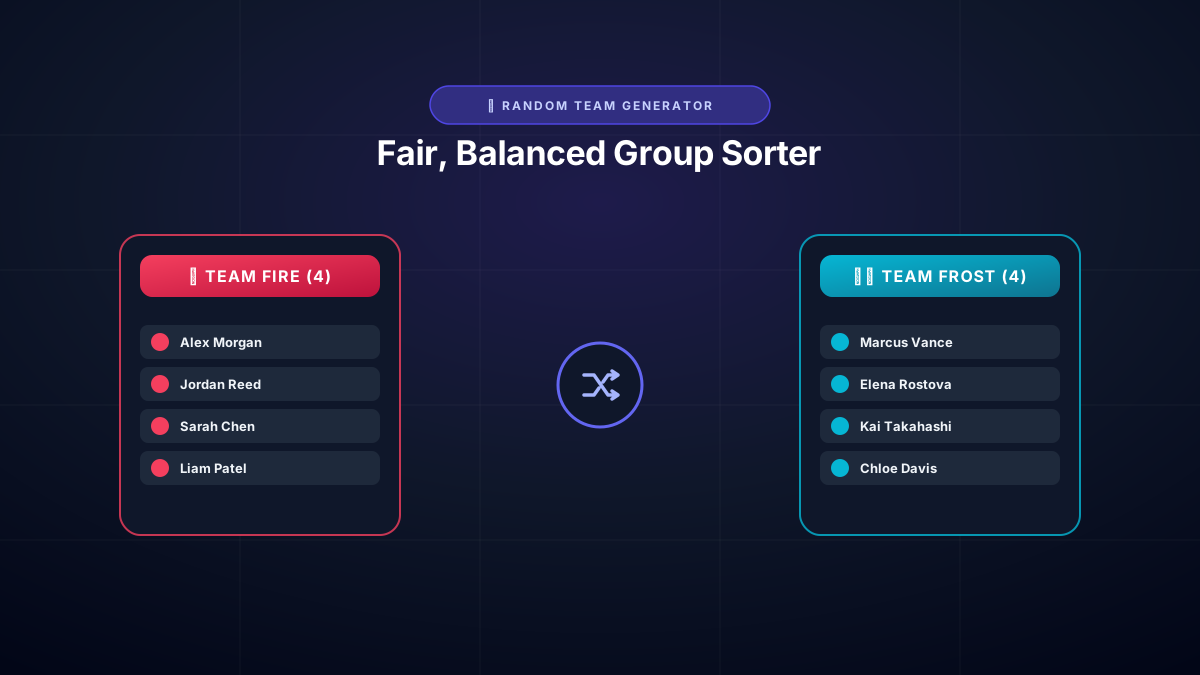
Click “Generate Teams” (or press the Spacebar on your keyboard)! PickLab will shuffle your roster and display the squads instantly with fun creative naming themes like Elemental (Fire, Frost, Thunder), Mythic Animals (Dragons, Wolves, Titans), or Classic Numbers.
2. How Does the Group Randomizer Handle Uneven Numbers?
One of the biggest headaches when dividing teams manually is what to do when your numbers don’t divide cleanly.
For example, what happens when you have 13 players and need 4 teams? $13 \div 4 = 3$ with a remainder of $1$.
Poorly coded online generators often create three teams of 4 and one lonely team of 1 player—which completely breaks games and classroom activities!
PickLab’s Round-Robin Remainder Balancing
PickLab solves this mathematically. Our algorithm uses Round-Robin Remainder Distribution:
- Base team size = 3 players.
- The 1 remainder player is seamlessly distributed to the first team.
- Result: Team 1 has 4 players, while Teams 2, 3, and 4 each have 3 players.
The Golden Rule: No two teams generated by PickLab will ever have a size difference greater than 1 person!
3. Creating 2-Person Teams (Pairs & Partners)
Need to generate random study buddies, peer-review partners, or doubles tennis / padel pairs?
- Set your mode to “Members Per Team”.
- Set the group size to 2.
- Click Generate Teams!
The tool will instantly separate your entire list into 2-person duos. If you have an odd number of people (e.g., 21 students), PickLab will automatically create ten 2-person pairs and one 3-person trio so nobody is ever left out alone.
4. Popular Use Cases for Random Group Generators
- Classrooms & Universities: Teachers create impartial laboratory partners, debate teams, and reading groups without playground cliques or arguments.
- Esports & Gaming Communities: Streamers and Discord moderators quickly build balanced 5v5 scrims for Valorant, CS2, Overwatch, or League of Legends.
- Sports & Pickup Games: Impartial team creation for 5-a-side soccer, basketball pickup games, dodgeball, and recreational volleyball.
- Corporate Workshops & Hackathons: Agile team icebreakers, brainstorming cohorts, and hackathon project squads.
Frequently Asked Questions (FAQ)
How does this random team generator split a list into groups?
PickLab uses the official Fisher-Yates cryptographic shuffling algorithm powered by your device’s Web Crypto hardware entropy. It takes your raw list of names, shuffles them with mathematical uniformity, and partitions them according to your selected team count or group size.
Can I make 2-person teams (pairs or partners)?
Yes! Simply select the “Members Per Team” mode and set the team size to 2. This splits your list into random pairs, partners, or duos for classroom assignments, sports, or games.
How does the group randomizer handle uneven numbers?
If your list cannot be divided equally (for example, 11 players across 3 teams), PickLab automatically applies round-robin balancing. It creates two teams of 4 and one team of 3, guaranteeing that no team differs by more than 1 member.
Can I set conditions or custom rules when generating teams?
Yes! You can choose between setting a fixed number of teams (e.g. 4 tournament brackets) or setting a fixed number of members per team (e.g. 5 players per team). You can also apply creative squad themes like Elemental, Mythic Animals, Colors, or Classic numbers.
Is this random group generator free without sign-up?
Yes, 100% free with zero sign-up, zero ads, and zero downloads. You can paste rosters of 10, 50, 100, or 500+ names and generate teams instantly.
How do I copy or export generated teams to Discord or Slack?
Above your generated results, click the “Copy Results” button. PickLab instantly formats your teams into clean Markdown with emojis, ready to paste straight into Discord, Slack, WhatsApp, Google Docs, or email.
Are student and player names kept private?
Yes, 100% private. All names are processed strictly within your device’s browser memory. PickLab never uploads, stores, or transmits your participant lists to any external server.
Ready to split your list into fair, balanced teams?